Buying & caring for your tech
Will this accessory fit your phone? A practical checklist
Check your exact model, connector and charging needs before buying a case, cable or charger. Get help at our Brighton Beach shop.
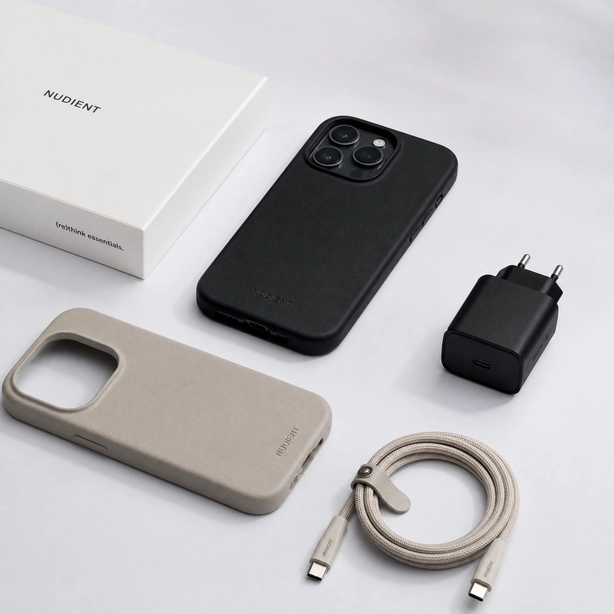
A phone accessory is useful only when it works with your device. A familiar brand name or a similar-looking connector is a starting point, not a complete compatibility check. Before ordering, compare the listing with the model information on your device.
Start with the exact device model
Find the full model name in your phone settings. Write it down, including words such as Plus, Pro, Max or Ultra. Cases and screen protectors need to match the camera layout, buttons and dimensions of that exact model. A case for a similarly named phone may not fit.
Check both ends of a cable
Look at the connector on your phone and the port on your power adapter or computer. Then check the cable listing for the connectors at both ends. If you need data transfer as well as charging, check that the cable explicitly supports that purpose.
Read the power and compatibility information
Use the requirements published for your device and the specifications on the charger and cable. Do not assume that a higher number on a charger makes every phone charge at that speed. When a listing leaves something unclear, ask before placing an order.
Check what is included
A cable, wall adapter and charging pad can be sold separately. Review the contents of the listing, the condition, the return policy and any stated warranty. Keep the packaging and receipt after purchase.
Bring the device if you are unsure
Explore cases and screen protection or chargers and cables. For an in-person compatibility check, visit 3070 Coney Island Ave in Brighton Beach or call (718) 769-0418 before ordering.